
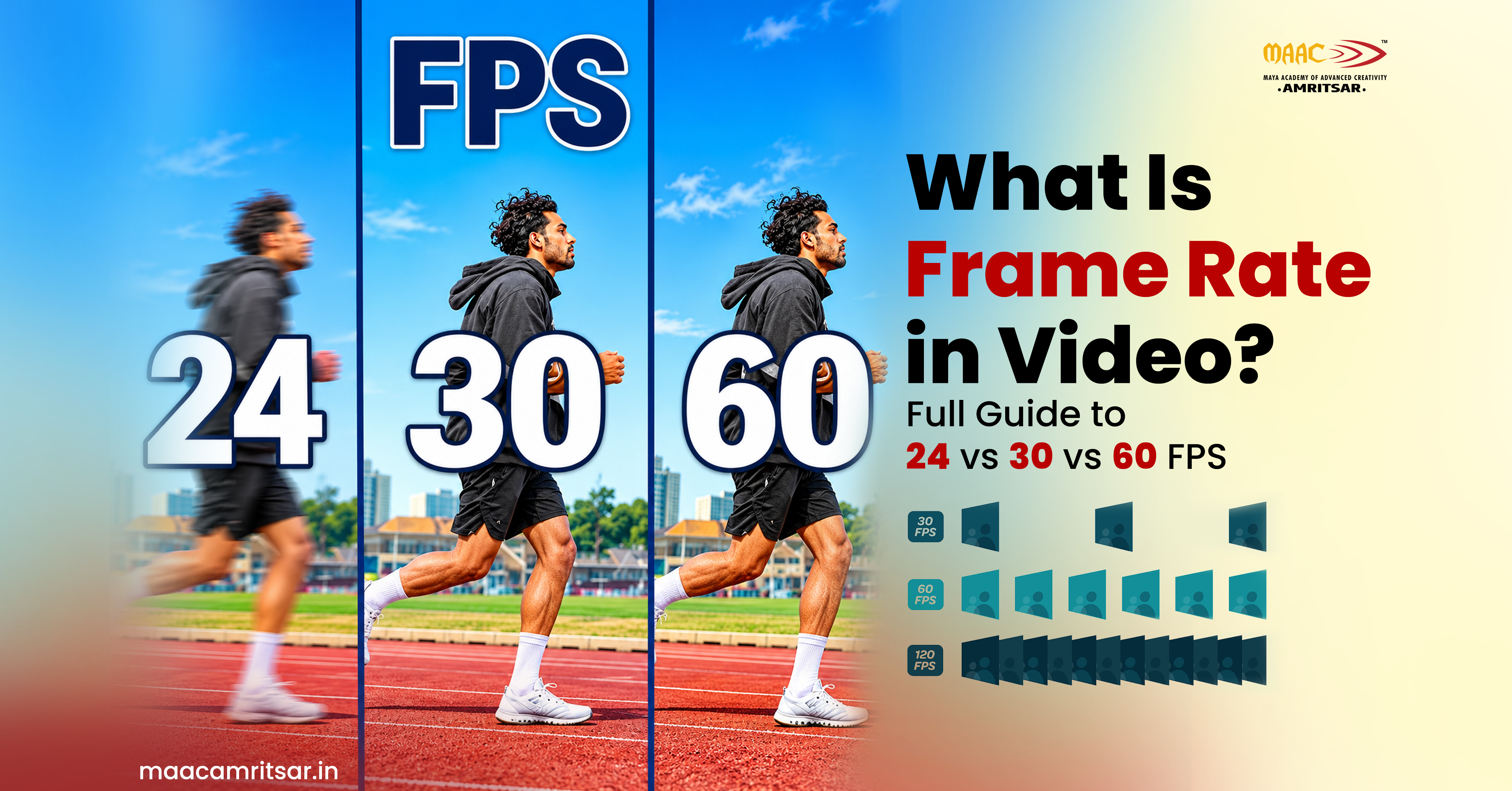
‘Frame rate’: You hear this term so many times in video games and video streaming but what is frame rate in video production actually?
Sometimes we notice how movie looks different from sports videos. Because movies have cinematic feel and gaming videos show movement more smoothly. There is only one reason for this difference is frame rate in video. We bring this guide for those who are not familiar with frame rate in video, how it works and why frame rate matters in video for better video quality. So let’s learn what is frame rate in video.
What is frame rate in video?
Frame rate in video means how many single images play per second. It is calculated in frames per second. High frame rate shows more images in same time so video looks smoother. Lower one shows less images so video looks more natural like film. For example: if video is recorded at 24 fps that means it contains 24 frames for every second of footage. If video is recorded at 60 fps that means it contains 60 frames per second. Frame rate and shutter speed work together to influence appearance of motion.
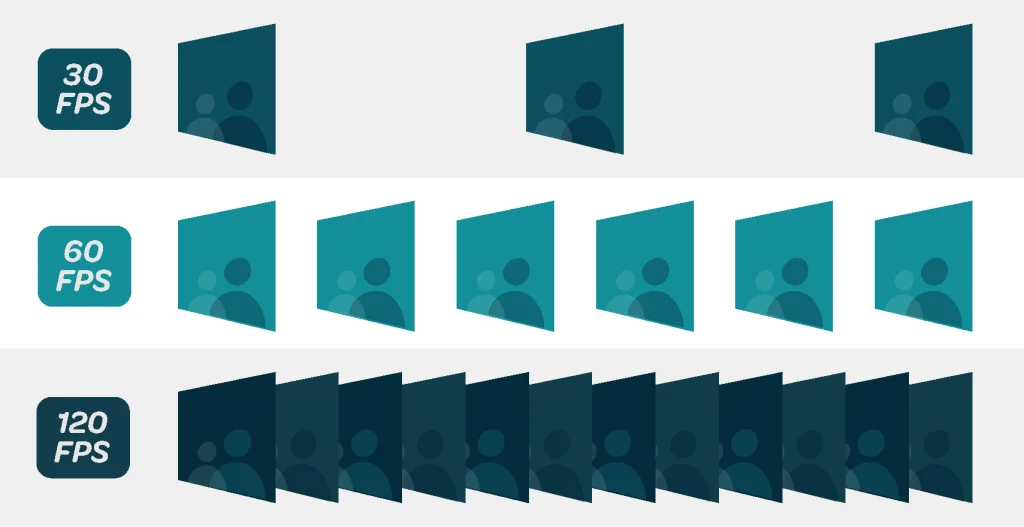
Here are three useful frame rates you will notice as beginners are:
| Frame rate in video | Best use |
| 24 fps | Mostly used for films and cinematic videos |
| 30 fps | YouTube videos, interviews, tutorials and everyday recordings. |
| 60 fps | Useful for sports, gaming, dance and footage that needs smoother motion or slow motion editing. |
Why is frame rate important for video production?
You need to choose frame rate before shooting video because you cannot change it later. Here is why frame rate matters:
- Visual Storytelling: Frame rate affects experience of viewers when they watch scene. 24 fps gives drama and mood. 30 fps feels clean and direct. 60 fps feels energetic.
- Motion Clarity: To capture fast moving objects such as dance, sports and action footage, so higher frame rate is required for easier following.
- Slow motion effects: When you record at higher fps, more frames become available for use when needing to slow down video.
- Editing Flexibility: If you record different scenes at different frame rates, you need to decide how they will fit into your editing timeline. Mixing frame rates is possible but it can affect the appearance of motion.
Common frame rates in video at glance
| Frame Rate | Typical look | Best for |
| 24 fps | Cinematic motion | Films and cinematic ads |
| 25 fps | Common broadcast style motion | TV and broadcast work in India and Europe |
| 30 fps | Natural | Vlogs, interviews, tutorials, news, social posts |
| 50 fps | Smooth motion | Action footage |
| 60 fps | Very smooth motion | Gaming, sports, action, screen recordings and slow motion videos |
| 120 fps | Slow motion material | Sports replays, action shots and creative effects |
24 fps vs. 30 fps vs. 60 fps: Side by side comparison
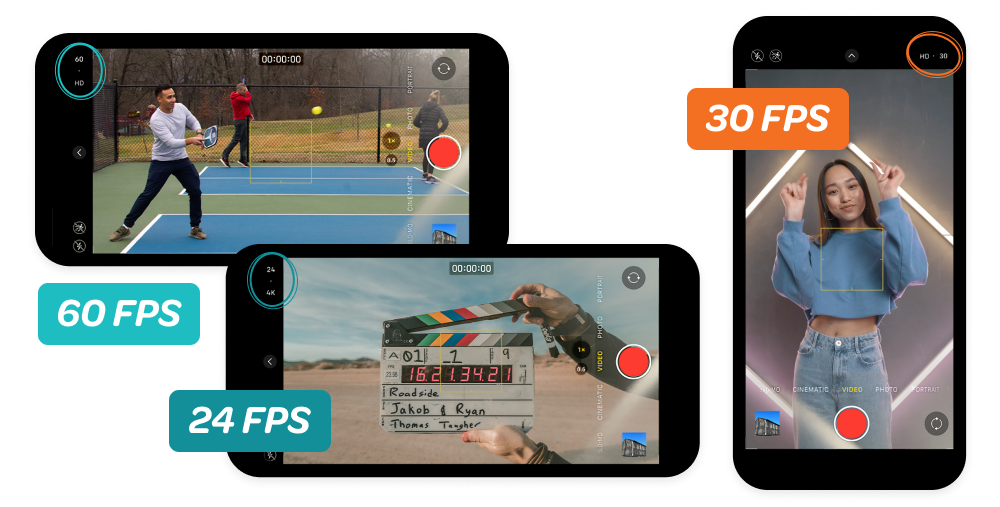
Every frame rate setting affects motion, exposure, storage and editing. So here is difference between 24 fps, 30 fps and 60 fps.
| Feature | 24 fps | 30 fps | 60 fps |
| Visual appearance | Cinematic look | Everyday video appearance | Smooth motion video |
| Motion blur | More noticeable at typical shutter settings | Normal at typical shutter settings | Less noticeable at typical shutter settings |
| Shutter speed at 180 degree shutter angle | Approx. 1/48 sec | Approx. 1/60 sec | Approx. 1/120 sec |
| File size | lower | moderate | higher |
| Common uses | Films, cinematic videos and short films | Vlogs, interviews and tutorials | Sports, gaming, dance and slow motion |
How does shutter speed change with frame rate?
Frame rate determines how many frames are captured by the camera in one second. Shutter speed is responsible for amount of time each frame is allowed to be exposed to the light.
Common rule is 180 degree shutter rule which states that the shutter speed should be about two times the frame rate.
| Recording frame rate | Approx. shutter speed |
| 24 fps | 1/48 seconds |
| 30 fps | 1/60 seconds |
| 60 fps | 1/120 seconds |
| 120 fps | 1/240 seconds |
These settings create the appropriate amount of motion blur for many footage types but they can be modified when different effect is needed. One thing to keep in your mind is that 60 fps needs faster shutter speed than 30 fps according to 180 degree shutter rule.
24 fps vs 30 fps: What is the difference?
The main difference between 24 fps and 30 fps is how motion appears in video and how that footage suits your project needs. As we already know 24 fps is mostly used in cinematic videos. If you want to make short film, music video, any cinematic advertisement then 24 fps is sensible decision for you.
On the other hand, 30 fps is best choice for everyday video content. It captures more frames per second than 24 FPS and can make movement appear smoother. It works perfectly for interviews, vlogs, tutorials and many social media videos.
Let’s take an example, you make recording of someone walking in the street. In this recording, if you shoot it at 24 fps, video will have cinematic effect. On the other hand, if you make recording of the same scene in 30 FPS, you would see much more realistic video of everyday life in this video. In case you want to create cinematic videos, our article on How to Make Cinematic Videos can help you out. It gives detailed explanation of all the different features that contribute to creating an impressive video by the use of shooting technique, lighting, composition, camera movement and editing.
What is the difference between 30 fps and 60 fps?
The difference between 30 fps and 60 fps is simple. At 60 fps, your camera records twice as many frames so motion looks smoother and fast action stays sharp. At 30 fps, it shows fewer frames so your file size should stay small and gives more natural look. Now many beginners ask same question:
Is 60 fps better than 30 fps?
So the answer depends on the decision you make, subject to lighting, available storage, and final delivery requirements. 60 fps is better when you need smooth motion and want to add slow motion in your video. 30 fps is best when you want to shoot daily videos, tutorials and interviews.
| Choose 30 fps when: | Choose 60 fps when: |
| You are recording daily vlog style videos. | You want to record dance, sports and action footage. |
| Your subject moves at normal pace. | 2. You want to slow the footage down by 50 percent. |
| You want to keep your file size small. | 3. Your camera and editing setup can manage large files. |
Does higher frame rate mean better video quality?
No. Frame rate just controls motion smoothness in your video. Video quality is depend on resolution, bitrate, sensor size, lighting and shutter speed. Let’s take an example:
Suppose you are shooting two videos, one is at 30 fps with good lighting, exposure, and suitable compression and second is at 60 fps with low bitrate and poor lighting. Your video with 30 fps looks more cleaner and detailed as compared to video recorded at 60 fps. So that is why choosing your camera settings is not only based on frame rate for better video quality.
Which FPS is best? Let’s take quick decision
Best frame rate for your video depends on what you are recording and how you want the final video to look. If you are beginner, this table below helps you choose right frame rate for your video according to different situations.
| Your situation | Frame rate in video |
| Cinematic shoot | 24 fps |
| Music video | 24/30 fps |
| Television project using PAL standards | 25 fps |
| YouTube vlog | 30 fps |
| Instagram videos | 30 fps |
| Sports and fast action video | 60 fps |
| Slow motion video | 60/120/240 fps |
These recommendations are for beginners, your project needs and final platform may require different settings.
Learn Professional Video Editing and Production at MAAC Amritsar
If you want to become professional video editor or filmmaker then it’s important to have proper knowledge about frame rate. It will help you make right decisions when you record video, creating slow motion effects in video, edit video with different clips together and export video for different platforms.
But professional video editing needs knowledge of more than frame rate such as camera settings, lighting, composition, storytelling, audio, color correction, motion graphics and post production. At MAAC Amritsar, you can learn all these skills including video editing, motion graphics, VFX and animation with practical learning so you work with real footage and real timelines instead of only bookish knowledge.
Our trainers will help you to build skills that studios and clients want. Learn professional video editing and animation courses at MAAC Amritsar.
Leave a Reply