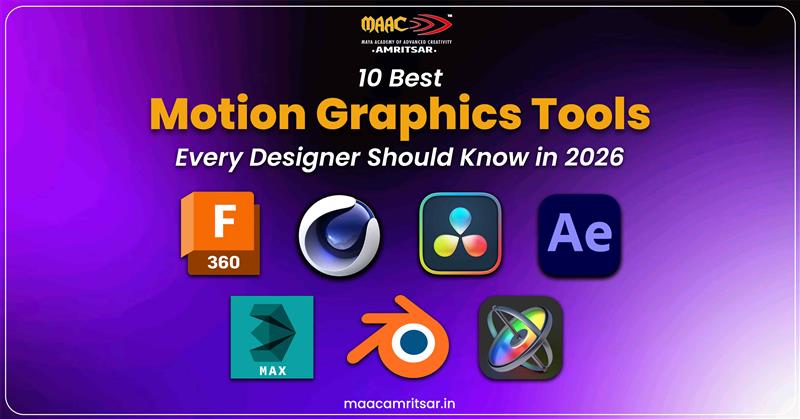
Motion graphics have become heartbeat of modern digital design. With increasing demand for visually compelling videos, knowing best motion graphics tools for every designer is must. In 2026, demand for motion graphics designers is booming and all thanks to the rise of video first platforms and immersive advertising.
But there are many motion graphics tools available but choosing best one is confusing. From free motion graphics tools for beginners to high level paid motion graphics software used in Hollywood studios, each tool offers unique strengths.
Who Should Read This
This article is perfect for:
- Beginners exploring the world of motion graphics.
- Freelancers seeking versatile tools for client projects.
- Professional designers want to stay updated with latest software.
- Anyone interested in perfecting motion graphics software.
This article will introduce you 10 best motion graphics tools in 2026, their features, pricing, skill levels, and how each can help upgrade your design game.
10 Best Motion Graphics Tools in 2026
1. Adobe After Effects
Adobe After Effects is one of the most popular motion graphics software programs. It is go to software for keyframe animation, compositing, and advanced graphic animation techniques. This motion graphics tool has been industry standar over two decades and it continues to reign supreme. After Effects lets you work with both 2D and 3D and you can add plugins to make it do almost anything you want.
Features:
- Seamless integration with Adobe Creative Cloud.
- It has advanced color correction tools and effects.
- Detailed keyframe controls that let you adjust every frame with precision.
| Best For | 1. Professionals working in advertising, film, and VFX. 2. Freelancers creating motion graphics for social media. |
| Price | Rs.1199 p.m. |
| Skill Level Required | Intermediate to Advanced |
2. Blender
Blender is free motion graphics tool that has favorite 3D animation, motion graphics, and VFX. This motion graphics software is best for students and freelancers.
Features:
- This motion graphics tool is best for 3D modelling which allows you to create 3D models for any purpose.
- It has built-in compositor and video editing software capabilities.
- It uses Cycles and Eevee to create realistic renders.
| Best For | For students, beginners, and freelancers who work on VFX heavy projects. |
| Price | Free |
| Skill Level Required | Beginner to Advanced |
3. Cinema 4D
For straightforward workflow and stunning 3D motion graphics capabilities, professionals use Cinema 4D motion graphics tool. Its user friendly interface combined with powerful motion graphics modules and makes it favorite in broadcast design and advertising.
Features:
- Best for character animation tools with advanced rigging.
- MoGraph toolset is specifically designed for motion graphics.
- It has excellent integration with After Effects through Cineware.
| Best For | Professional studios |
| Price | Rs.7614 p.m. |
| Skill Level Required | Intermediate to Advanced |
4. Apple Motion
If you are Mac user looking for motion graphics software for beginners then Apple Motion is perfect for you. Many times this motion graphics tool is overlooked but it is powerful, cheaper than After Effects, and works smoothly with Apple.
Feature:
- This motion graphics tool is real time design engine for instant feedback.
- You can do advanced rigging for complex motion graphics.
- It provides seamless workflow for video editors who want custom graphics without leaving Apple ecosystem.
| Best For | Final Cut Pro users, YouTube creators, and Mac based content creators. |
| Price | $50 (one time payment) |
| Skill Level Required | Beginner to Intermediate. |
5. Moho (Anime Studio)
Moho stands out in motion graphics tools because it focuses on vector based animation and character rigging. This motion graphics software is popular among animators who create character driven content and need efficient rigging systems.
Features:
- Best for 2D rigging system with bones and inverse kinematics for smooth character movement.
- Vector based drawing tools for scalable and resolution independent artwork.
- Compatible with multiple formats for video and interactive media.
| Best For | Character animators and video creators. |
| Price | $399 (one time payment) |
| Skill Level Required | Beginner to Intermediate. |
6. Houdini
Houdini is top choice for advanced VFX and animation. Its node based system powers effects in big movies and is now widely used for high end motion graphics.
Features:
- Everything in Houdini is built through nodes and it allows artists to create flexible and reusable systems.
- It is perfect for studios and professionals who need scalability and realism.
- Integrated Mantra renderer for photorealistic results.
| Best For | Technical directors, VFX studios, and high end commercials. |
| Price | Houdini Indie: $299 per year. |
| Skill Level Required | Advanced |
7. HitFilm Pro
HitFilm Pro is one pack combo with video editing software, motion graphics and VFX capabilities. This is one of best motion graphics tools for content creators who need all in one solution without switching multiple applications.
Features:
- It has 800+ built in VFX presents like explosions, lighting effects etc.
- Professional color correction and grading tools.
- It has unified workflow in which you can edit and apply VFX in one interface.
| Best For | YouTube creators, independent filmmakers, and one person production teams. |
| Price | Basic version (Free) Pro plan ($16.60 p.m.) |
| Skill Level Required | Beginner to Intermediate. |
8. Vyond
Vyond represents completely different approach among motion graphics tools, it is cloud based platform specifically designed for creating animated explainer videos, presentations, and training materials without traditional animation skills.
Features:
- It has drag and drop interface which is beginner friendly.
- Pre built character templates and animations.
- Through this motion graphic tool, you can export in various formats and resolutions.
| Best For | Corporate trainers, marketers, educators, and businesses are creating internal content. |
| Price | $199 p.m. |
| Skill Level Required | Beginner |
9. Fusion (DaVinci Resolve)
Another free motion graphics tool is DaVinci Resolve. This motion graphic software offers professional grade VFX compositing and motion graphics tools within free and industry standard video editing platform.
Features:
- Fusion uses node system instead of layers which gives artists more flexibility and control.
- 2D and 3D compositing for combining multiple elements into single shot.
- It works smoothly with the color and edit pages for end to end production.
| Best For | video editors needing compositing, and budget conscious professionals. |
| Price | Free |
| Skill Level Required | Intermediate to Advanced |
10. Animaker
Animaker makes our list of free motion graphics tools as an online platform that makes animation easy for complete beginners, small businesses, and social media creators who need quick and simple animated content.
Features:
- There is no need for installation because it is brower based platform.
- You can turn your prompts into animated videos instantly.
- Drag and drop interface for beginner friendly and easy to use.
- You can export videos into multiple formats.
| Best For | Beginners, social media managers, small business owners, and educators. |
| Price | Free |
| Skill Level Required | Beginner |
Also Read: Difference Between After Effects and Premiere Pro – Which Is Better?
How to Choose the Right Motion Graphics Tools for Your Career
Selecting right motion graphics tools depends on your career needs. Lets discuss this by career path:
Freelancing
If you are working solo, versatility is your best friend. Use Adobe After Effects with Blender and Cinema 4D to achieve widest client reach. After Effects is the industry standard, Blender adds free 3D animation, and Apple Motion is good choice for Mac users on budget.
VFX Industry
In VFX, Houdini is best motion graphics tool, with Nuke strong for compositing. Blender is also becoming popular. These jobs need the most technical skills and long training but they pay highest in motion graphics.
Advertising
Advertising needs polished work delivered fast. After Effects and Cinema 4D are the main motion graphics tools here. They allow precise color correction and quick changes based on client feedback. Knowing both 2D and 3D animation helps you handle different projects.
Content Creators
Content creators need fast and efficient tools. Apple Motion, HitFilm Pro, and After Effects with templates work well for quick projects. The goal is to make engaging content fast. Many creators also use Animaker and Vyond for easy explainer videos that do not need advanced animation skills.
Career Scope of Motion Graphics Designers in India
Motion graphics industry in India has expanded in past few years. With the rising demand for digital marketing, OTT platforms, and social media content, demand for skilled motion graphics designers also increased. Indian designers are increasingly hired by international studios for cost effective and high quality work. Tools like Runway and Animaker are simplifying workflows but skilled designers remain essential for creativity.
Motion Graphics Career Roles and Salary Growth (India)
| Job Role | Entry-Level (0–2 yrs) | Mid-Level (3–6 yrs) | Senior (7+ yrs) |
| Motion Graphics Designer | Rs. 3-5 LPA | Rs. 6-9 LPA | Rs. 12-15 LPA |
| 2D/3D Animator | Rs. 3-4 LPA | Rs. 6-8 LPA | Rs. 10-14 LPA |
| VFX Artist | Rs. 4-6 LPA | Rs. 8-12 LPA | Rs. 15-20+ LPA |
| Compositing Artist | Rs. 3-5 LPA | Rs. 7-10 LPA | Rs. 12-16 LPA |
| Video Editor | Rs. 2.5-4 LPA | Rs. 5-8 LPA | Rs. 9-12 LPA |
| Freelancer | Rs. 50k–1.5L per project | Rs. 1–3L per project | Rs. 3L+ per project |
How to Learn Motion Graphics Professionally in 2026
Learning motion graphics from YouTube tutorials does not mean you call yourself designer. You need professional training, mentorship, hands on training and experience of real projects.
👉Certification Matters: Self learning is possible but certified courses provide structured curricula covering both technical skills and animation principles.
👉Practical Training: Learning keyframe animation theory is useful but applying it to make real brand animations is what truly matters.
👉Portfolio Development: Choose programs that focus on real projects so you can build your animation portfolio from the start.
👉Intership Opportunities: Working in real studio connects classroom learning to actual jobs. Internships show you workflows, how to talk with clients, and meet deadlines, these things online courses can not fully teach.
At MAAC Amritsar, you don not just learn animation software, you learn to become complete motion designer. From mastering top animation tools and design basics to building industry connections that open doors to internships and jobs, the training shapes you into creative professional who understands both the art and the business of motion graphics.
Conclusion
In 2026, motion graphics tools give you infinite options, from free motion graphics tools like Blender to industry favorites like After Effects, beginner friendly platforms like Animaker, and advanced VFX tools like Houdini. The right tool is not about finding the ‘best’ one, it is about choosing what fulfil your goals, budget, and learning style.
If you want to turn this passion into career then proper training is required. For students in Punjab, MAAC Amritsar offers complete training on industry standard tools while helping you build strong creative foundation. Their focus on practical and portfolio ready projects prepares you for real client work and studio jobs.
The motion graphics industry is expanding, the tools are more powerful than ever, and opportunities are waiting.
FAQ’s About Motion Graphics Tools
Are there free motion graphics tools for beginners?
Yes. DaVinci Resolve and Blender is the best free motion graphics tool that many professionals use for real projects. For quick online work, Animaker’s free plan is perfect when you are starting out and want to make basic animations without heavy motion graphics software.
Can motion graphics tools be used for marketing and explainer videos?
Yes. Motion graphics are used for marketing and explainer videos. You can use tools like After Effects, Vyond, and Animaker help create engaging content. Brands use them for social media ads, product demos, and training because animated visuals grab attention much better than plain images.
What is the best tool for motion graphics beginners?
Apple Motion is best for Mac users because it is affordable and beginner friendly. If you are Windows user then HitFilm Pro’s free version and Animaker are good options to start with.
How do I become motion graphic designer?
To become motion graphic designer, you need to follow this roadmap:
- Start learning basics and practice on projects.
- Build strong portfolio and gain hands on experience through internships.
- Join institutes like MAAC Amritsar to get professional training and placements to start your career.
Leave a Reply