Hey, designers.
If you have started learning design, you have probably faced the same confusion that most beginners have. Confusion is about which tool is best for design – Illustrator or Photoshop? Both are from same platform, Adobe and both tools are shown in every designers kit.
But the real thing is Illustrator vs Photoshop is not really a competition. These two graphic design software tools are used for different purposes, you just need to identify which one to choose and when.
Simply put, Photoshop vs Illustrator is based only on one thing, type of graphics they work with. Photoshop works with raster images and Illustrator with vector graphics.
We will properly discuss Photoshop vs Illustrator in this article. By the end of this article you will learn:
- What is Photoshop and how it works
- What Illustrator is used for in design
- The features of Illustrator and Photoshop
- Important editing tools in Photoshop and Illustrator
- Difference between Photoshop and Illustrator
- When designers should use each tool
Let us get into it.
What is Adobe Photoshop actually mean?
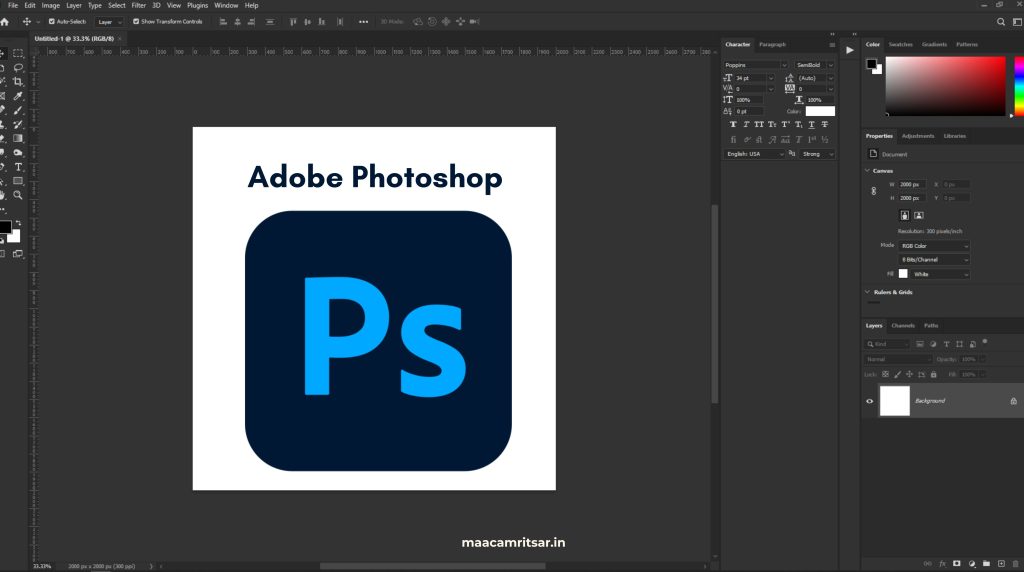
Adobe Photoshop is popular image editing software. Photoshop launched in 1990 and it is primary tool for every photographer, digital artist, and marketing professional. When people ask what is Photoshop, the simplest answer is that it is pixel based editor that lets you work with photographs and digital images at very detailed level.
Photoshop basically works with raster images which means everything you see is made up on canvas in tiny squares called pixels. The more pixels an image has, sharper it looks. Thatswhy Photoshop is perfect for digital painting, retouching, photoediting, and compositing.
Who uses Photoshop:
- Photography studios and agencies
- Marketing and advertising firms
- Film and television
- Social media content creation
- E-commerce product photography
- Web design and UI design
There is only one limitation of raster images are when you zoom in, they lose quality.
Features of Photoshop
One reason Photoshop is perfect for image editing is it sets of features. Here are the main features of Photoshop that are mainly used:
- Layers: This is main pillar of Photoshop. Every element you add like text, images, and effects are sets on its layers. It makes non destructive editing easy and organised.
- Smart Objects: These allow you to transform elements and modify elements without losing quality. Very useful in image editing software workflows.
- Filters and Effects: Photoshop has unlimited filter library that you can use for any effects in photo editing.
- Photo Retouching Tools: You can edit image by removing blemishes, smoothing skin, correcting color, and fixing lighting to create professional photo.
- AI Editing Feature: Newer versions of Photoshop include generative fill, neural filters, and background removal with one click. These AI tools have made Photoshop even more powerful as image editing software.
- Masking: Layer masks and clipping masks help you isolate elements perfectly especially essential in composite work.
Editing Tools in Photoshop
You need to know editing tools in Photoshop when comparing Illustrator vs Photoshop. Here are most commonly used editing tools in Photoshop and how they help in real design work:
| Editing Tools in Photoshop | Purpose |
| Brush tool | This is used for digital painting, adding colour and retouching. Brush tool is most versatile editing tool in Photoshop. |
| Clone stamp tool | This tool copies one part of image and pastes it over another area. Clone stamp is best for removing unwanted objects from photos. |
| Healing brush | Same like clone stamp but blends textures and colors automatically to make it perfect for portrait photo editing. |
Lasso tool | It is for freehand drawing for irregular and fast selections. |
| Magic wand tool | Magic wand quickly selects areas of similar color in image which is useful for background removal. |
| Pen tool | It creates perfect paths for selections and masking. |
| Crop tool | This tool allows designers to resize and reframe images for different platforms and layouts. |
| Dodge and Burn tools | This tool is used to lighten or darken specific areas of photo. |
These editing tools in Photoshop are important for photographers, digital artists and designers who work with pixel based images daily.
What is Illustrator?
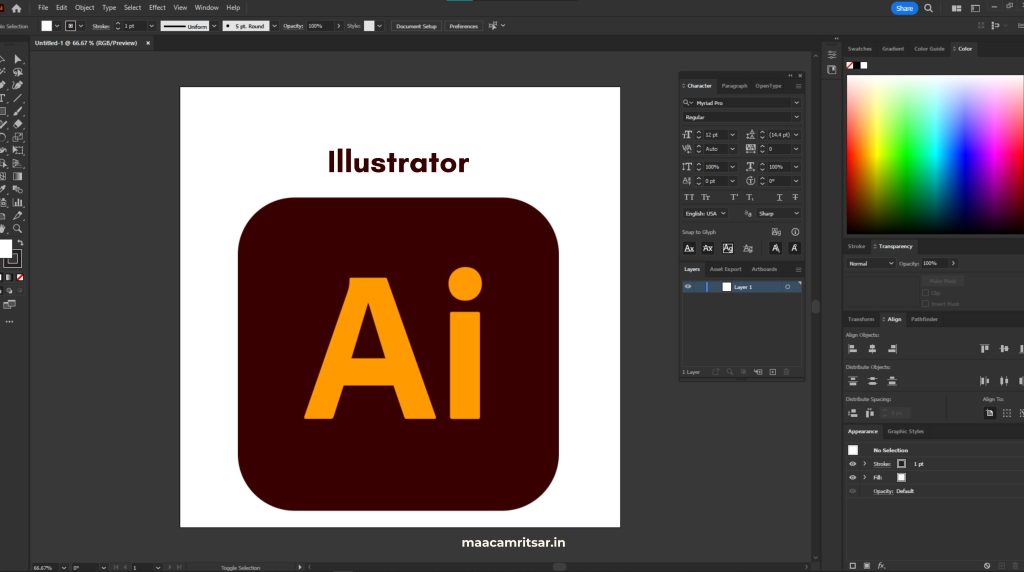
Illustrator is popular graphic design software tool for creating vector graphics. Designers uses this tools to design billboards, logos, icons, you name it. Illustrator does not deal with pixels. It relies on math to build shapes, lines, and curves. So you can zoom in as much as you want and your design stays sharp.
But the question is what is vector graphics?
Vector graphics is image made of lines, curves, and points defined by mathematical formulas. No matter how small and big you make it, it always stays with perfect quality. Thatswhy Illustrator is best software for vector graphics when it comes to branding and identity design.
Illustrator is used for:
- Branding and identity agencies
- Packaging design
- Editorial and print design
- Motion graphics and animation studios
- App and UI/UX design
Features of Illustrator
- Vector Based Design: It creates scalable graphics that do not lose quality when resized. This image editing software is best for logos, icons and brand visuals.
- Artboard: Illustrator can work on multiple versions or elements of a design in single document.
- Typography and Font Management: You can quickly find fonts with filters, organize them into libraries, and sync across Adobe apps. It also supports variable fonts and advanced text effects for creative typography.
- Generative Shape Fill: You can use AI search tools to fill shapes with creative textures and patterns.
- Gradient Mesh: This is powerful technique that allows photo realistic gradients on vector shapes.
Editing Tools in Illustrator
Just like Photoshop. Illustrator also has set of tools that every designer should know.
| Editing Tools in Photoshop | Purpose |
| Pen tool | This is cornerstone of vector design. It is used to create custom paths, logos, lettering, and complex shapes with perfection. |
| Black arrow | This is basic tool but mostly used to select and move entire objects. |
| White arrow | Selects individual anchor points within path and lets you reshape objects precisely. |
| Paintbrush tool | Paintbrush tool creates freehand strokes that automatically convert into vector graphics. |
| Gradient tool | This tool adds color gradients to shapes and illustrations. |
| Eyedropper tool | Eyedropper copies colors and styles from one element to another. |
| Shape builder | This tool allows designers to combine shapes to create complex illustrations. |
Difference Between Adobe Photoshop and Adobe Illustrator
When you understand difference between Photoshop and Illustrator, it helps you to decide which tool is better for your project.
| Features | Illustrator | Photoshop |
| Graphics type | Illustrator is for vector graphics | Photoshop is for raster images. |
| Best for | Logos, icons, business cards and billboards | Photo editing, compositing and digital painting |
| Scalability | Limitlessly without losing image quality | At one point it loses image quality |
| File formats supports | .AI, .SVG, .EPS | .PSD, .JPG, .PNG, .TIFF |
| Resolution | It has independent resolution | It has dependent resolution |
| Primary users | Graphic designers and brand designers use Illustrator | Marketers, photographers and digital artists use Photoshop. |
These image editing tools are not competing with each other, they are complementing each other. Designers used both tools in single project workflow.
Illustrator vs Photoshop: When to use each tool
Choosing between Illustrator and Photoshop depends on your project workflow.
| Project | Use Illustrator | Use Photoshop |
| Logo design | ✅ | ❌ |
| Image editing | ❌ | ✅ |
| Infographics | ✅ | ❌ |
| Digital Painting | ❌ | ✅ |
| Web and App Mockups | ✅ | ✅ |
| Social Media Graphics | ✅ | ✅ |
| Retouching | ❌ | ✅ |
| Vector Illustrations | ✅ | ❌ |
| Detailed Textures | ❌ | ✅ |
Also Read: 10 Best Motion Graphics Tools Every Designer Should Know in 2026
Use Illustrator for:
| Logo Design | Illustrator is best software for logo design because logo needs to work at every size. |
| Infographics | When you need clean scalable charts, diagrams and graphics. |
| Branding | Business cards and letterheads designed in Illustrator. |
| Packaging Design | Labels and packaging artwork require precise vector paths and are usually sent to print |
| Typography | Custom typefaces and lettering are drawn with pen tool in Illustrator. |
Use Photoshop for:
| Photo Editing | All photo editing tasks such as color correction, removing blemishes and fixing lighting, Photoshop can handle it better than any other image editing software. |
| Social Media Graphics | You can design website banners, social media posts and text combinations efficiently in Photoshop. |
| Digital Painting | Photoshop is best software for photo editing and digital painting for concept artists. |
| Web and App Mockups | Photoshop is best option to design mockups. |
Pro Tip from MAAC Amritsar: Many professional designers use both tools together. Logo designed in Illustrator, then placed into Photoshop mockup to show how it looks on T shirt or billboard. So learning both image editing software is best for long term goal.
Final Words on Illustrator vs Photoshop
Illustrator vs Photoshop debate has not clearly one winner. Both image diting software serve distinct purposes. Photoshop work with raster images and Illustrator with vector graphics.
If you are beginner, learn both image editing software. Ask yourself, which software is required according to your project workflow. If you want to design social media graphics and digital painting then go for Photoshop. For logo and branding, you can work on Illustrator. At MAAC Amritsar, our graphic design courses cover both tools in detail. You will work on real project workflows and build portfolio that speaks for itself.
FAQ’s on Illustrator vs Photoshop
Can I use Photoshop for logo design instead of Illustrator?
Yes. You can use Photoshop for logo but professionally we do not recommend it because when you zoom in, it loses its quality.
Do I need to learn both Illustrator and Photoshop?
If you are serious about career in graphic design then yes you need to learn both image editing software tools, as it makes you versatile.
What is difference between raster image and vector graphic?
Raster image is made up of fixed grid of pixels. When you zoomed high, you see individual coloured squares.
Mathematical formulas define lines, shapes, and curves to make vector graphics. You can scale up to any size without losing quality.

Leave a Reply